AI that never leaves your building
Private models on your machines, trained on your firm’s documents — including confidential files that must never touch a public cloud chat.

Public AI is powerful — and the wrong place for secrets
If you run a law firm, clinic, finance team, or any office with confidential files, you already know the tension:
- Staff paste client text into public chat tools because it is fast
- Policies say “no confidential uploads” — but nobody has a safe alternative
- Knowledge lives in PDFs, contracts, and shared drives no model has read
- Generic AI answers that miss how your firm actually works
- One mistaken paste can put privileged material on someone else’s servers
You want the speed of AI. You also need the documents to stay where they belong — on hardware you control.
There is a better way.
Meet Local AI Setup by LiteWeb
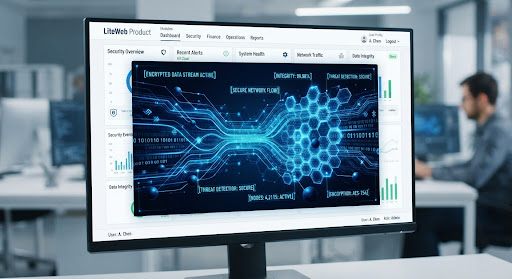
Local AI Setup is a private AI environment built by LiteWeb. Models and indexes run on your premises or private network. Your team asks questions in plain language. Answers come from your files — not from the open internet.
On your machines
Models and search indexes stay inside your office or private VPC.
Your documents
Contracts, memos, manuals, and case files become searchable knowledge.
Secret-safe
Even privileged material can be included because nothing is sent to public AI.
Team access
Roles and permissions so only the right people query sensitive sets.
A lawyer finds the clause from last year’s matter in seconds. A partner drafts from firm precedents without uploading the file to a stranger’s cloud. IT keeps the keys.

Train on how your firm actually works
A law firm is the clearest example: matter files, templates, opinions, and internal how-to notes. We help you select what to index, clean the junk, and connect the model so answers cite the sources your lawyers trust.
What you get:
- Ingestion of PDFs, Word docs, email exports, and shared folders
- Matter-aware or department-aware collections
- Answers grounded in your corpus, with source links when useful
- Ongoing refresh when new documents land
The same pattern works for clinics, accounting firms, manufacturers, and any team whose knowledge is locked in files.
Secret documents can stay in the loop
Public chat tools are off-limits for privileged material. Local AI flips that rule: because inference runs on your hardware, confidential contracts, HR files, and sealed exhibits can be part of the knowledge base under your access policy.
What you get:
- No document upload to third-party model providers for day-to-day use
- Network boundaries you define (office LAN, VPN, or air-gapped options)
- Audit logs for who queried what and when
- Clear separation between public marketing AI and private firm AI
Speed without the policy violation. That is the point.
Hardware, models, and a usable chat
We size the box (or private cloud) to your load, install the model stack, and give your team a simple chat or search UI. You should not need a research lab to ask “what did we say about X last year?”
What you get:
- Hardware or private-cloud sizing that matches your document volume
- Model selection for your languages and privacy constraints
- A chat or portal your staff can use on day one
- Admin tools to add collections and revoke access
We set it up, train your admins, and stay for the first months of tuning.
Policies, roles, and safe daily use
Technology alone does not fix risk. We help you define who can see which collections, what must never be exported, and how Local AI sits next to the public tools people still use for non-sensitive work.
What you get:
- Role-based access by practice group or department
- Retention and deletion aligned with your compliance needs
- Staff guidance so the private tool becomes the default for firm files
- Optional tie-in to LiteWeb AI Agents for external customers — without mixing corpora
Public agents for customers. Local AI for the firm’s own brain. Separate on purpose.

Who Local AI Setup is for
If your knowledge is sensitive and your team still needs AI speed, this is built for you.

| Organization | How it helps |
|---|---|
| Law firms | Matter files and precedents stay in-house while lawyers get fast answers |
| Clinics & hospitals | Internal protocols and records assist staff without public uploads |
| Finance & accounting | Client packs and policies searchable under firm control |
| Manufacturing & industry | Manuals, SOPs, and drawings become a private assistant for the floor |
Why LiteWeb
LiteWeb already builds the systems around your business. Local AI is the private layer that sits on top of your documents — installed, secured, and supported by the same team.
Local AI Setup combines:
Privacy
Models and indexes on infrastructure you control.
Knowledge
Your files — including confidential ones — as the source of truth.
Usability
A chat your staff will use, with roles and audit trails.
AI speed. Firm-level secrecy. One delivery team.
Ready to keep AI inside the firm?
Tell us what documents matter most and where they live today. We will outline a local setup — hardware, model, access rules, and a first collection your team can query safely.
Schedule a Demo